What did the answer use?
Open Queries used to inspect the Metric and its ID, date window, time grain or breakdown, and the filters and Segments applied. Check the comparison before drawing a conclusion.
AI Agent · Insight Radar · Reports
Ask the next question.
Keep the important ones running.
Investigate casino, sportsbook, player and acquisition performance with AI that uses your data and shared business definitions. Ask a question, schedule a recurring check or brief a report. Follow the evidence to your next decision.
AI Agent and Insight Radar are included in the platform subscription.
Choose how the work starts
AI for iGaming analytics helps teams investigate operational data through natural-language questions, recurring checks and reports. Gamblitude connects each workflow to the same data model and governed Metrics behind your dashboards.
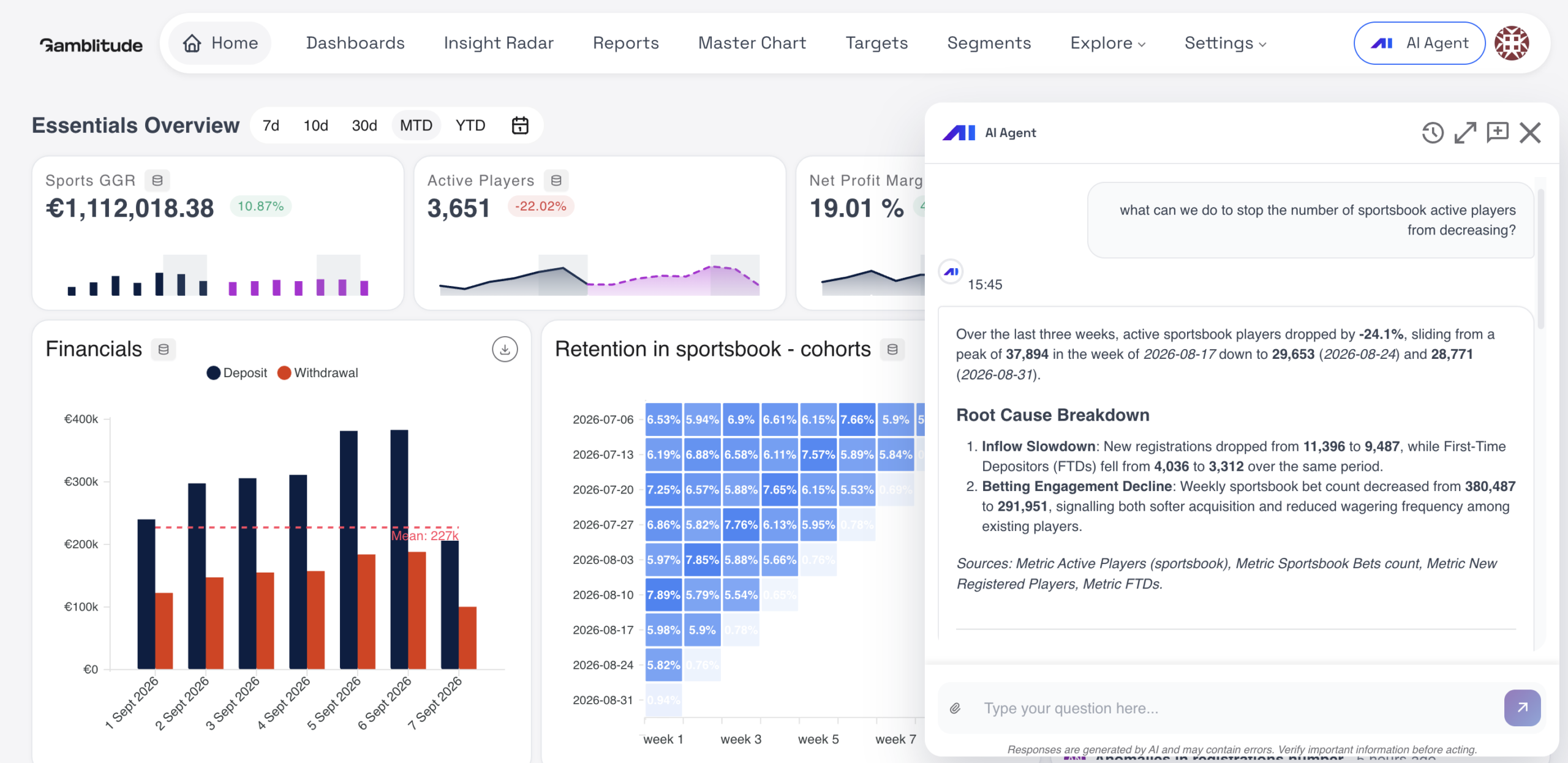
Start a conversation. Review the supporting numbers and follow the next question.
02 / You set the checkChoose what to investigate and when. Keep the questions that matter running.
03 / You set the briefBring charts, analysis and commentary into a report your team can work with.
04 / It starts exploringLet the agent choose threads to investigate and bring back findings worth a closer look.
Inside the platform
Explore a one-off question, repeat an investigation on a schedule or give the analysis a clear brief. Choose the way of working that fits the task.
AI Agent / You ask
Start in plain language. The AI Agent uses your Metrics, Attributes and shared data model to investigate. Read the supporting analysis, narrow the scope and continue with follow-up questions.
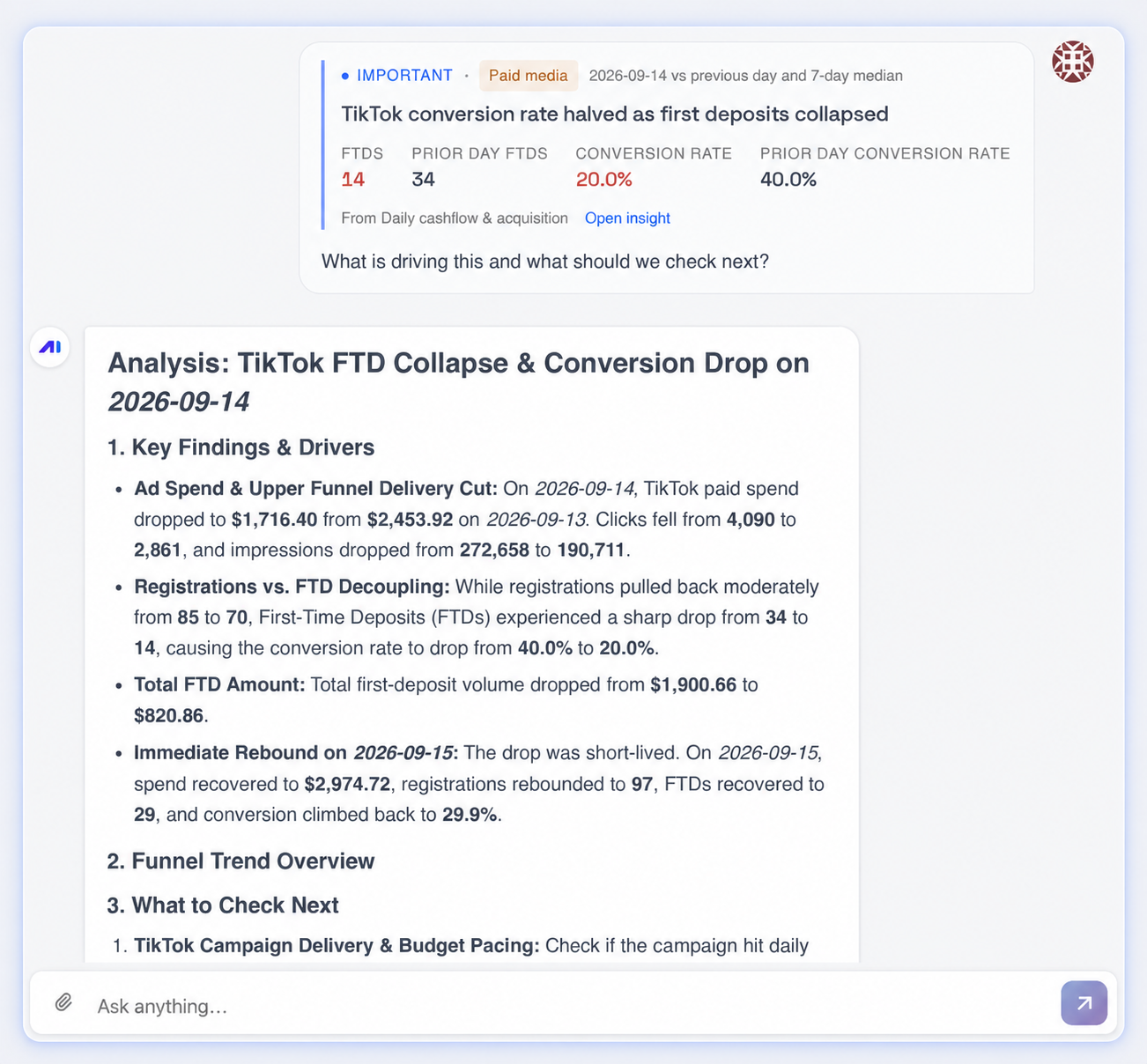
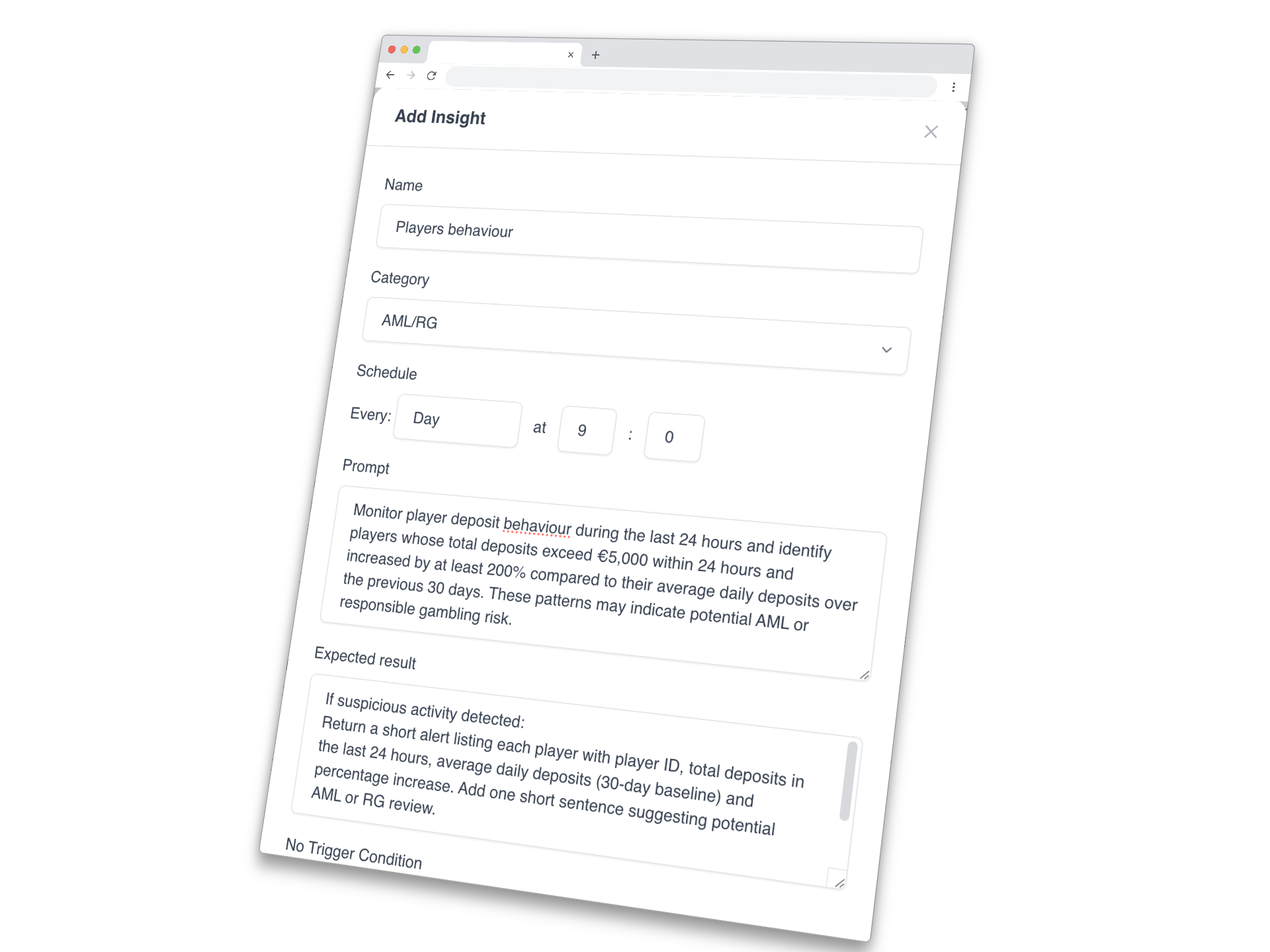
Insight Radar / You set the check
Choose what you want investigated and how often. Insight Radar runs that check on your schedule and brings back the findings with context. Use it for the questions that belong in your daily or weekly routine.
Reports / You set the brief
Describe the report you need. AI drafts a document combining charts, analysis and commentary for your team to review. Run it on demand or schedule a recurring report, from a weekly business review to a focused trading investigation.
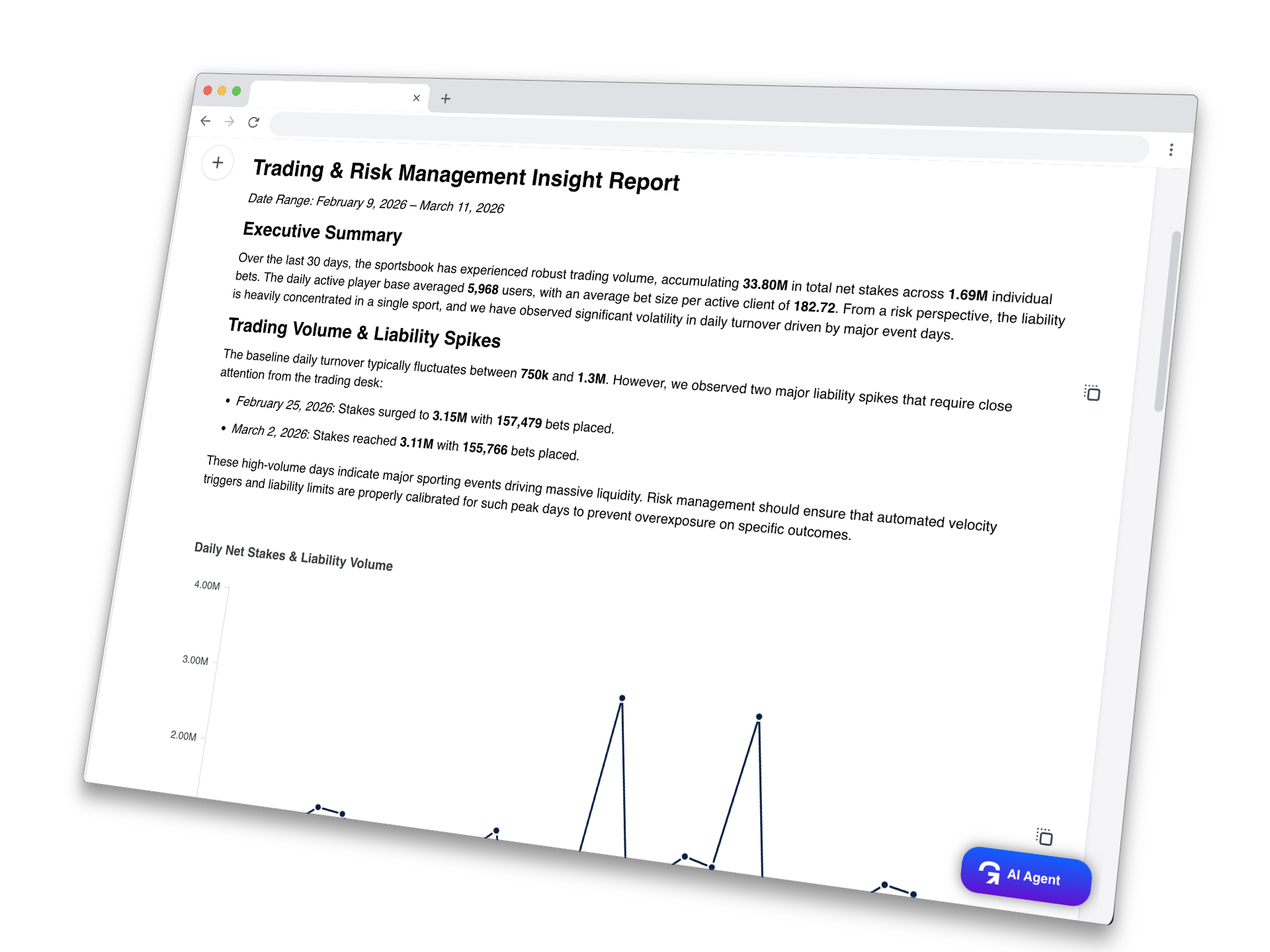
The available analysis follows the data connected to your platform. Example prompts illustrate ways to investigate; the displayed figures are demo data.
From an answer to useful work
A useful analysis should be possible to examine, take further and revisit. The conversation gives you the query context, complete table results and a route to a reusable dashboard chart.
Open Queries used to inspect the Metric and its ID, date window, time grain or breakdown, and the filters and Segments applied. Check the comparison before drawing a conclusion.
Copy a result or download its full CSV, including the active filtering scope. The export includes the full table rather than only the rows visible in the chat.
Save a chart generated in the conversation to an existing dashboard or create a new one, within your permissions. Bring the useful view into your team’s next review.
Add context when you need it. Attach a PNG, JPEG, WebP or PDF, or paste an image, so the agent can read a screenshot or document alongside your question. An attachment supplies conversational context; it does not create a new connected warehouse source.
Extend a definition deliberately. With appropriate Metrics access, the AI Agent can create a Metric when you explicitly ask. Shared definitions and data permissions still govern its use.
Business context behind the answer
Players, bets, games, payments and bonuses are connected parts of your operation. AI needs those relationships, along with the agreed meaning of your KPIs.
The Gamblitude platform brings conversations, recurring checks and reports onto the same analytical foundation as your BI platform.
Explore the data foundationQuestions · Recurring checks · Reports · Discovery
The language of your operation, connected to its data model.
Shared KPI definitions and reusable entity-level context.
Casino · Sportsbook · Payments · CRM · Acquisition
The same foundation supports your dashboards and AI.
Review what the metric measures and which filters and business rules apply.
Read the answer against its comparison window, data coverage and source update schedule.
Inspect the supporting numbers, test possible explanations and decide what to investigate next.
When the investigation starts on its own
Autonomous Agent chooses threads to investigate and follows related signals across your business. It surfaces opportunities, emerging problems and business insights without waiting for a prompt or a predefined recurring check.
Review a finding, then use “Discuss with AI Agent” to continue with the insight attached. Your team decides how to respond.
Included in standard BI pricing for every BI user, at no extra charge.
Explore Autonomous Agent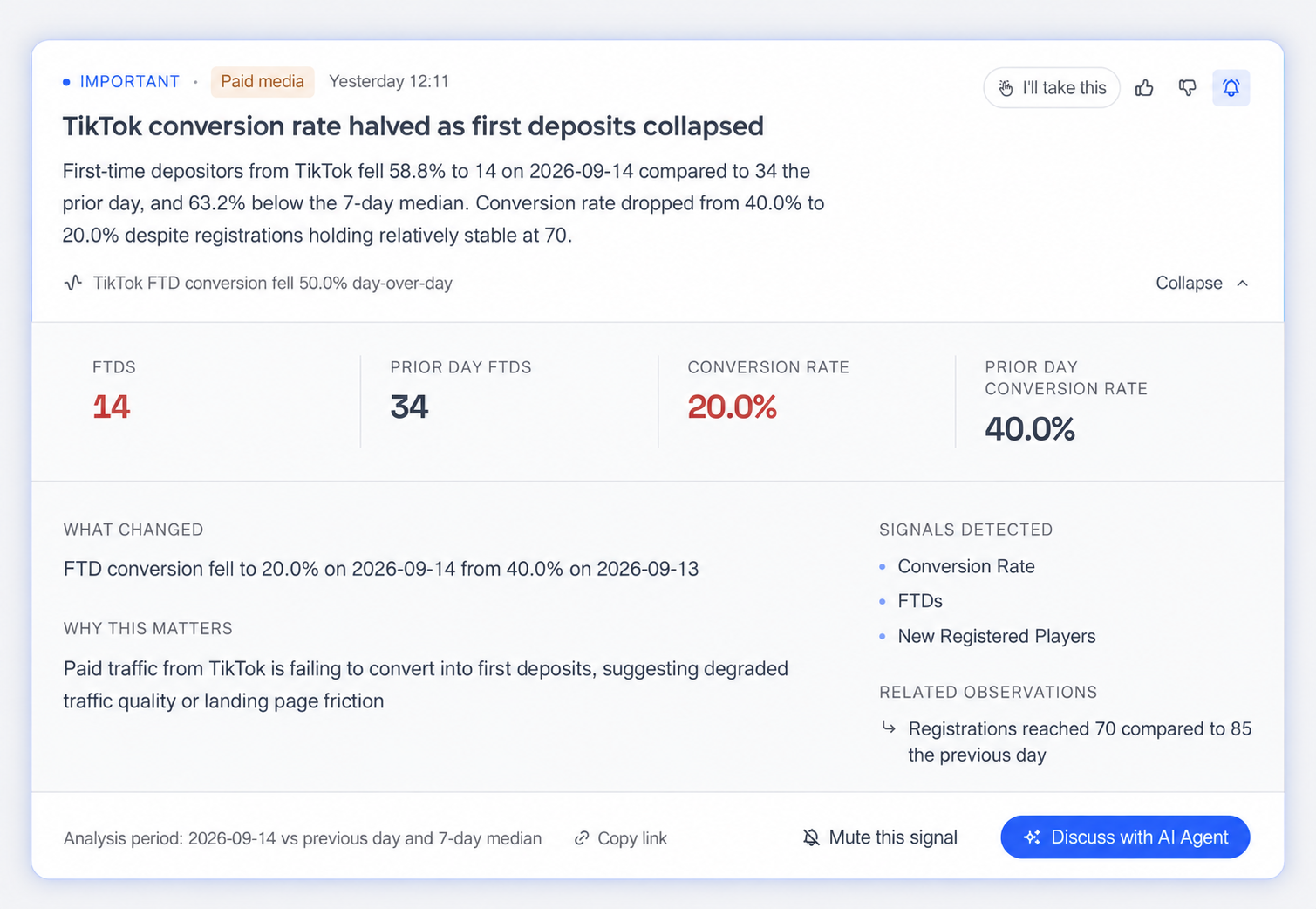
Part of your working day
Use AI in the platform and through the tools your team opens every day. Continue a conversation, receive Radar findings and get scheduled reports through your configured connections.
AI conversations, Radar findings and recurring reports in your workspace.
Ask a question or review an update when you are away from your desk.
Bring questions and analysis into the team's daily conversations.
Keep questions, findings and reports close to your Google Workspace.
Receive findings and reports by email, or download a report to share.
Connected through MCP
Query your Metrics, Dashboards and insights from ChatGPT or Claude through Gamblitude's MCP Server.
Start with the work in front of you
Start with a business question. Then follow the relevant periods, definitions and breakdowns to understand the change.
Explore the change by provider, game and period.
Compare the acquisition funnel across connected channels. For a supported KPI time series, ask whether the daily change is unusual against its history using Statistical Scoring.
Compare activity over time and look into the relevant Segments.
The practical details
How the workflows fit together, what they use and how your team gets started.
It is a set of AI analysis workflows within the Gamblitude platform. AI Agent investigates questions in conversation, Insight Radar runs user-defined recurring checks, and Reports turn a brief into charts and written analysis. They use the connected warehouse, shared data model and governed business definitions.
With AI Agent, you start a conversation and continue with follow-up questions. With Insight Radar, you define an investigation and schedule, with a short notification or Scheduled Report as the output. No Trigger Condition can suppress delivery or report creation when a chosen phrase appears in the response. Run history still helps you review the checks. A finding can become the starting point for a deeper conversation.
Autonomous Agent selects its own investigative threads. It does not need a user question or a predefined recurring check to begin. It brings findings and supporting evidence to your team, which reviews them and decides how to respond. Explore Autonomous Agent.
The AI tools use governed Metrics, Attributes and the shared data model. Queries used shows the Metric name and ID, period, time grain or breakdown, and applied filters or Segments. You can inspect the supporting table and export its complete CSV. Your team checks the scope and interpretation and decides whether further investigation is needed.
Yes. Describe the subject, period and questions as a final brief. Add an AI section to a new or existing Report, review and edit it, or use Insight Radar to create recurring new Reports. AI sections are point-in-time snapshots rather than live views; regenerate them for the next period. Reports can be shared in the platform, exported as a PDF or delivered through supported channels.
Use AI Agent conversations, Insight Radar findings and scheduled reports in the platform and through Slack, Telegram, Microsoft Teams or Google Chat. Email supports findings and report delivery. Gamblitude's MCP Server also lets enabled external AI tools such as ChatGPT or Claude query Metrics, Dashboards and insights within each user's existing permissions.
The relevant data sources, business definitions and access permissions need to be connected and configured. We agree the initial scope and use cases with your team. The analysis reflects the data available, its coverage and the update schedule of each connected source. See our security overview for information on platform controls.
The platform subscription includes AI Agent and Insight Radar alongside the warehouse, BI tools and Autonomous Agent. Autonomous Agent is available to every BI user at no extra charge. Setup and the subscription model are agreed for your operation; Predictive Models are scoped and quoted separately. See pricing for the current structure.
Bring operational sources and event-level history into a shared iGaming data model.
Explore the platformDashboards, Segments, Reports and Targets built on the same analytical foundation.
Look aheadExplore separately scoped models for player value, retention, recommendations and protection.
See the workflows in action
We’ll explore an AI Agent conversation, turn a recurring question into an Insight Radar check and show how reports fit your team's routine. The walkthrough uses demo data, followed by a discussion of your sources and priorities.